ImGui Integration and Breaking Changes

Since wrapping up milestone_1 in October, I've been working on tooling and performance infrastructure. The focus has been on frame timing control and debugging capabilities - things you need before scaling up to more complex scenes.
Frame Timing Infrastructure
Frame rate control is now in place with three new classes: FramePacer handles the actual frame rate limiting, FrameStats tracks timing information, and FpsMetrics analyzes performance over time. There's also a Stopwatch for high-resolution timing measurements.
The implementation is straightforward - the FramePacer ensures consistent frame times, which is important for physics integration later. Right now it's just preventing the GPU from running at 100% unnecessarily.
ImGui Integration
I've added an ImGui layer for debug overlays. The architecture is split into:
ImGuiBackend- platform abstractionImGuiGlfwOpenGLBackend- concrete GLFW/OpenGL implementationImGuiOverlay- singleton manager for widgetsImGuiWidget- base interface for custom widgets
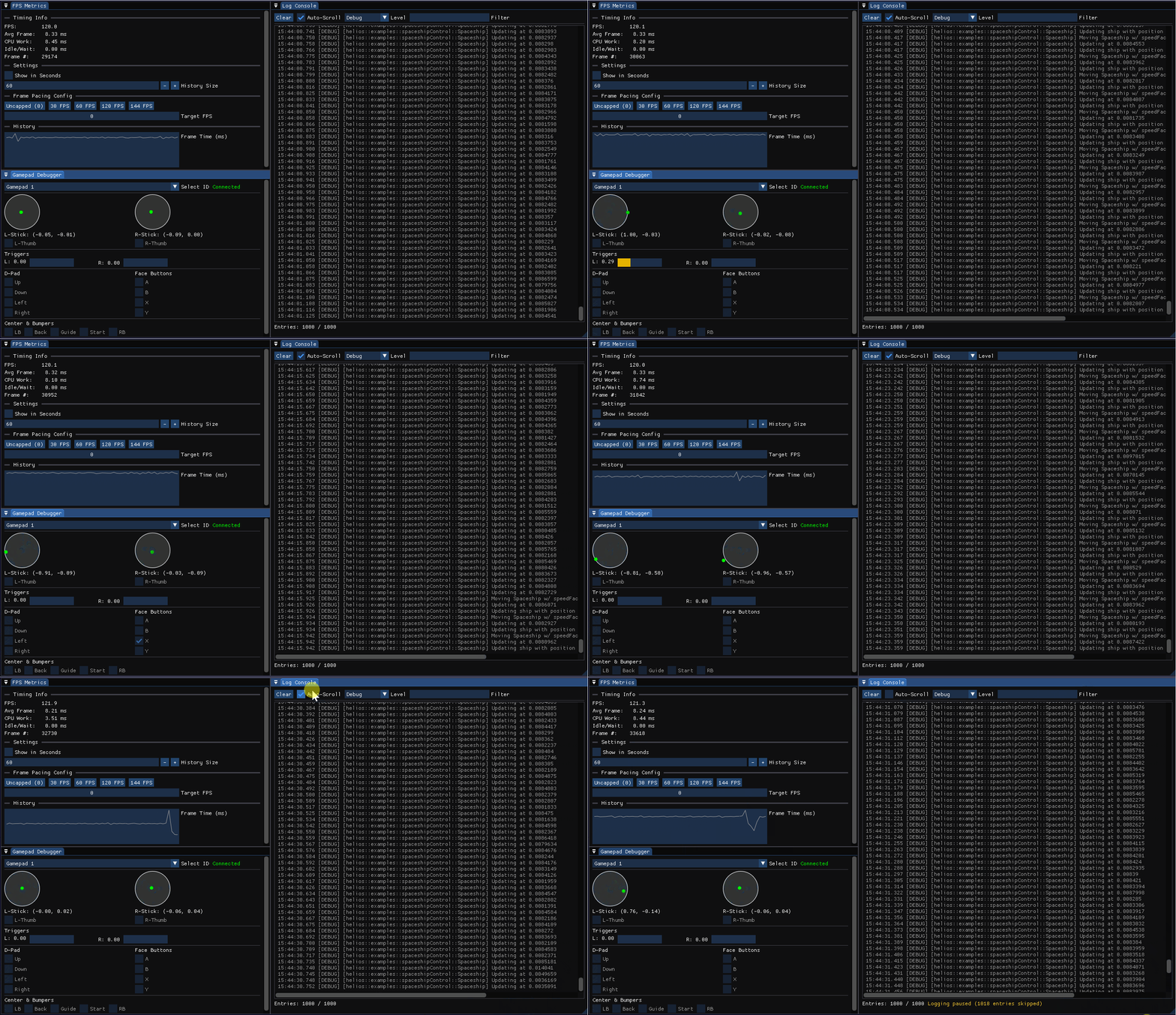
Three widgets are currently implemented: FpsWidget for frame rate display, GamepadWidget for controller input visualization, and LogWidget - a scrollable console with log filtering.
The overlay system makes it easy to toggle debug info on and off, which has already helped with tracking down frame timing issues.
Breaking Changes
Along the way, I've made some architectural improvements that required breaking changes:
Enum sentinels are now consistently named size_ across the codebase. Before, some enums used COUNT, others SIZE, some size. The trailing underscore avoids macro conflicts and works better with code generation tools.
// Before
enum class Key { A, B, C, COUNT };

// After
enum class Key { A, B, C, size_ };
MeshData merged with Mesh. The separate MeshData class was redundant - Mesh now handles geometry directly.
New RenderPrototype abstraction. The rendering setup now uses a RenderPrototype that combines Material and Mesh. A Renderable then references this prototype, optionally with a MaterialPropertiesOverride for per-instance variations:
// Material = Shader + MaterialProperties
auto materialProps = std::make_shared<MaterialProperties>(
    vec4f(1.0f, 0.0f, 1.0f, 0.5f), 0.0f
);
auto material = std::make_shared<Material>(shader, materialProps);

// RenderPrototype = Material + Mesh
auto prototype = std::make_shared<RenderPrototype>(material, mesh);

// Renderable with optional per-instance override
auto renderable = std::make_shared<Renderable>(
    prototype,
    MaterialPropertiesOverride(vec4f(0.25f, 0.96f, 0.35f, 0.5f), 0.0f)
);
This separates shared resources (prototype) from instance-specific data (override), which is useful when rendering multiple objects with the same mesh but different colors.
What's Next
With frame timing and debug tools in place, I can focus on the actual game logic. The input system is solid, the rendering pipeline handles basic geometry, and the scene graph works. Time to build something that moves.